Dispatch, CAMO and Safety in one place, connected.
For operators of one to ten business aircraft. Enter it once: every department sees it at the same moment, and nobody copies it across.
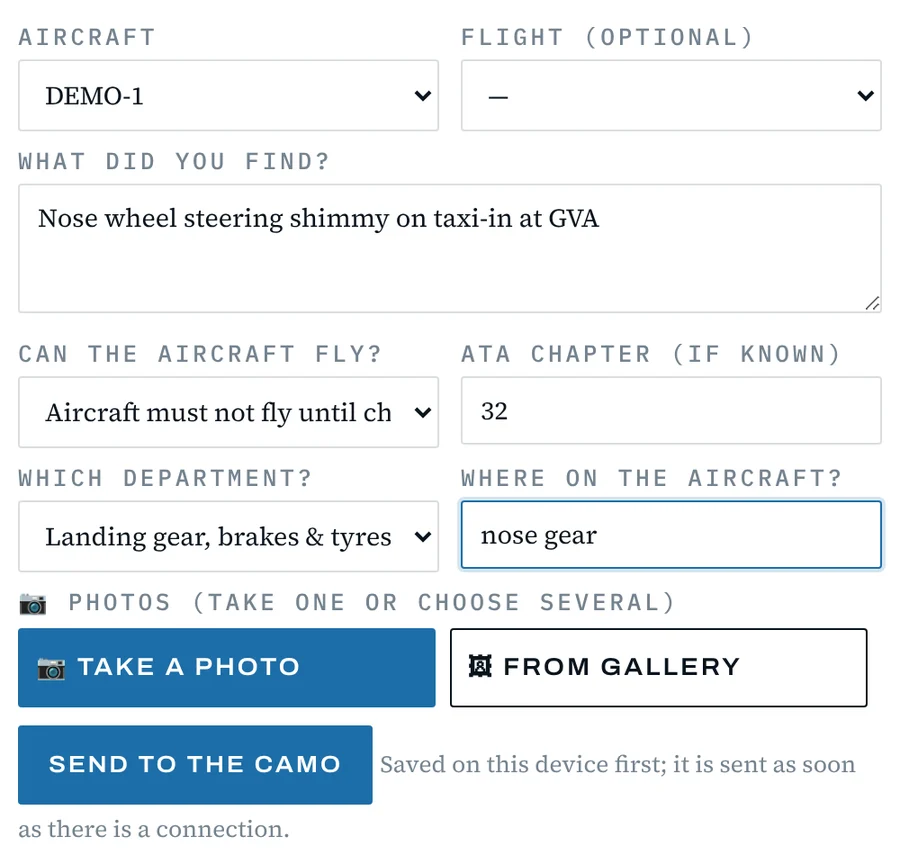
One report from the pilot. Watch what happens in the office.
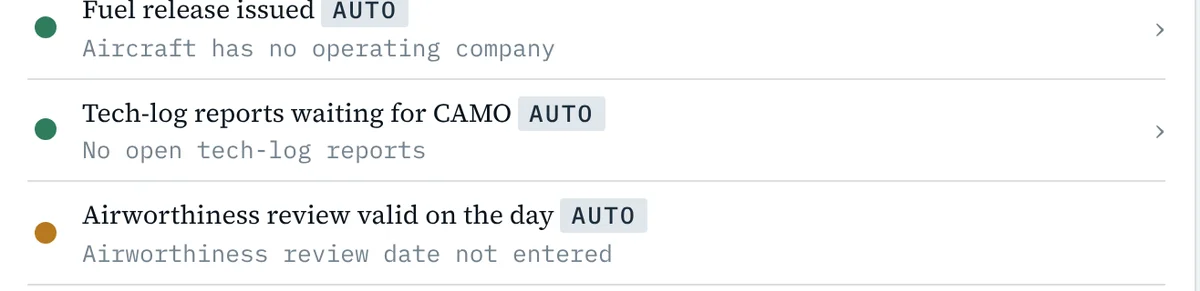
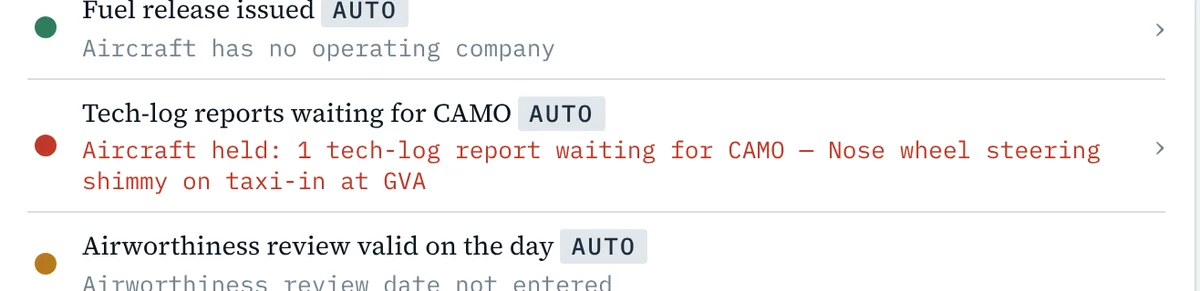




One entry. Three departments. Nothing typed twice.
Three systems that usually don’t talk. In Ramp they are one.
Most operators run maintenance, flight operations and safety in separate programs, and copy the same numbers between them every week. In Ramp the data moves on its own.
- Dispatch → CAMO Every flight flown updates hours and landings. The due list counts down by itself.
- CAMO → Dispatch A limit coming due or an open defect shows on the flight before anyone sells it.
- Pilot → CAMO A defect from the iPad arrives for review, with photos and the ATA chapter.
- Pilot & CAMO → Safety Safety reports and grounding defects become occurrence cases, already coded.
- Everything → Finance The trip that was actually flown becomes the invoice and the owner’s statement.
What you work with today is already here.
Your team keeps the screens it knows: a due list with task, interval, last done, next due and remaining; a schedule; an occurrence log. The difference is that they finally share one record.
| Today you use | In Ramp | How your data comes in |
|---|---|---|
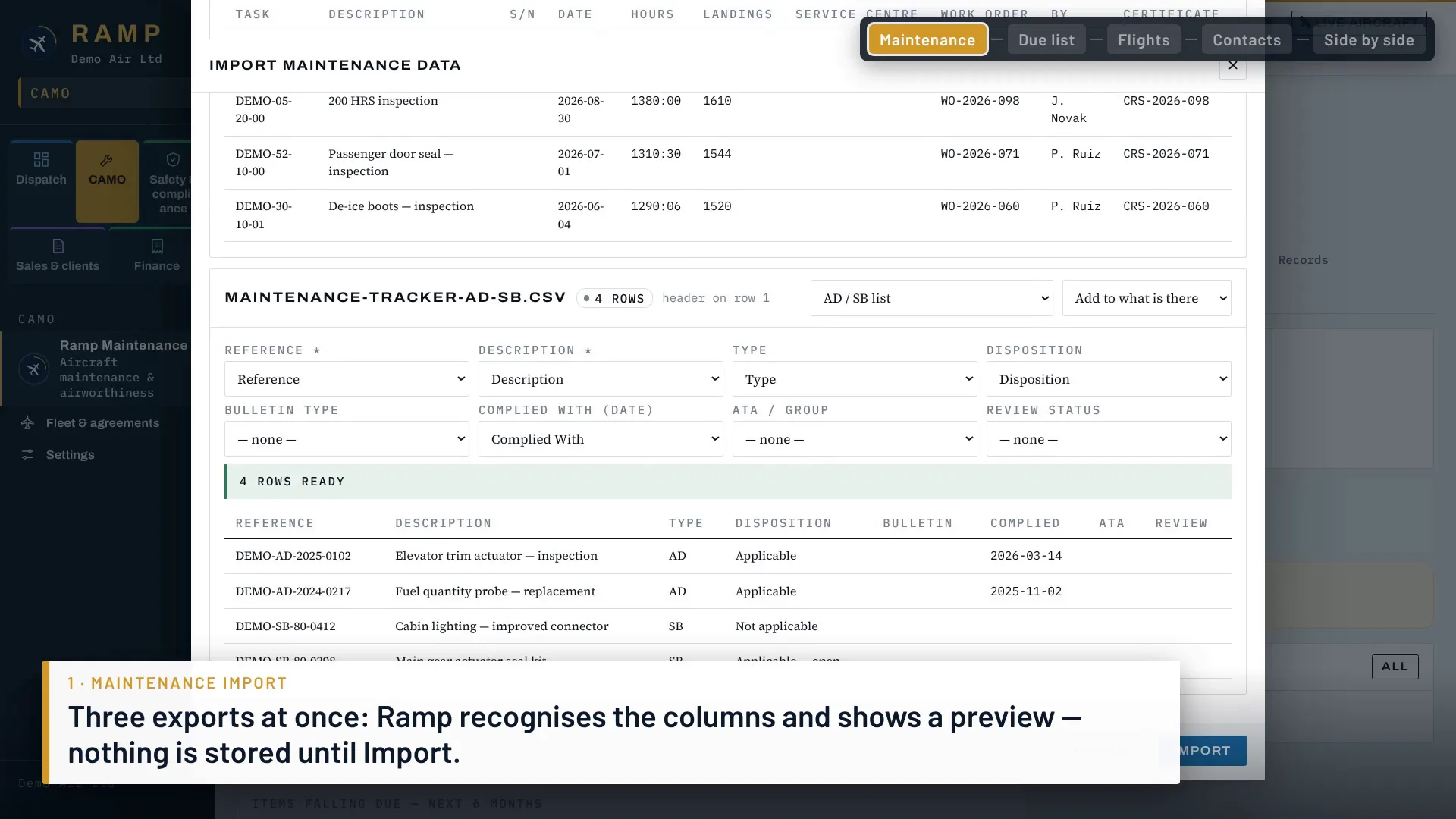
| A maintenance tracker | CAMO: due list, ADs and SBs, components, work orders, forecast | Import from CAMP. Upload its due-list and history exports. Spreadsheets from other trackers are imported during set-up. |
| A scheduling and flight-ops program | Dispatch: quotes, schedule, crew, duty and rest, permits | Bring your flights in from a file, a calendar feed or an e-mail. Clients and contacts come in from Excel. |
| A safety (SMS) tool or spreadsheet | Safety: occurrences, risks, audits, E5X for the authority | Your open cases and risk register are entered as part of set-up. |
| Invoices in another program | Finance: invoice from the flown trip, owner statements | Your accountant keeps the official books. Ramp hands over invoices and payments. |
| An EFB on the iPad | Pilot app: briefing, documents, block times, fuel | Works next to it. The logbook exports in the ForeFlight CSV layout. |
- We import your dataSet-up is done with you, from your exports.
- Run both for 30 daysKeep your current tools while Ramp runs next to them.
- Switch when you are sureNothing is locked in. Export everything at any time.
Watch how a switch to Ramp goes · 1:45
CAMP and ForeFlight are trademarks of their owners. Ramp is not affiliated with them.
Every flight ready before it leaves.
TodayA spreadsheet for the schedule, e-mails to the handlers, WhatsApp to the crew, and a checklist on paper that nobody else sees.
With RampEach leg has one sheet that ticks itself from the schedule, crew, documents and maintenance. You see what is missing and release the flight.
- Schedule that knows the limitsAircraft, crew and maintenance blocks in one view. A trip that would pass an inspection or a duty limit is stopped before you confirm it.
- Handling requestsRequests to every handler in one click, from your own mailbox, and their answers kept on the flight.
- Pilots on the iPadBriefing, documents, READY, block times and fuel come back from the cockpit into the flight log. Watch a pilot’s day · 22 s
Slots, PPR and permits — requested, read and matched for you.
Ramp writes each request in the format the coordinator or authority expects and sends it from your own mailbox when you approve it. It reads the reply, keeps the departure and arrival slots consistent with the block time, and when one airport offers another time it drafts the change for the other end. For flights you choose, Auto mode handles the slot exchange inside limits you set.
- Airport slotsNew, change and cancellation messages for both ends of a leg, to the coordinators in an airport table you control. Slot IDs are kept on the flight and added to the flight-plan remarks.
- PPR and permitsAirport PPR, overflight and landing permits, sent to the airport, the authority or your permit supplier. Numbers and validity are kept on the leg.
- One list for dispatchEvery upcoming flight with what needs a request, what waits for a reply, what was offered another time and what is confirmed — and which flights Auto mode is handling or has handed back.
- You approve, or you set the limitsBy default a person approves every message. For any flight, the dispatcher can switch on Auto mode with a time window and a maximum number of rounds; Ramp then sends, reads and re-requests inside that window and hands over to a person on anything unusual.
Maintenance that counts itself.
TodayThe due list lives in one program, the flights in another, and someone copies the hours across every week.
With RampEvery flight flown updates the aircraft, every limit counts down on its own, and dispatch is warned before a flight goes past it.
- Due list and forecastHours, landings and calendar for every task, AD/SB and component, with the next shop visit planned as one package.
- Defects & MEL from the cockpitThe pilot reports on the iPad; you accept it as a defect, set the MEL category and open the work order.
- Records you can showWork orders, parts, flight log and audit trail, exported for your authority or your next CAMO.
An SMS your authority can follow.
TodayReports arrive by e-mail, the risk register is a spreadsheet, and audit findings live in a folder until the next inspection.
With RampA pilot’s report becomes a case with its deadline counted. Serious events go to the risk register, and audits check that the fix works.
- Occurrence reportingCases opened from crew reports and grounding defects, with the reporting clock of your State and the file your authority asks for.
- Risk registerSeverity × likelihood before and after mitigation, owners and review dates, with repeat patterns offered as hazards.
- Audits and findingsThe audit programme, findings with due dates, and a correction that only closes when it is verified.
And the people around your aircraft.
Clients, brokers and pilots each get their own link, connected to the same flights and the same money.



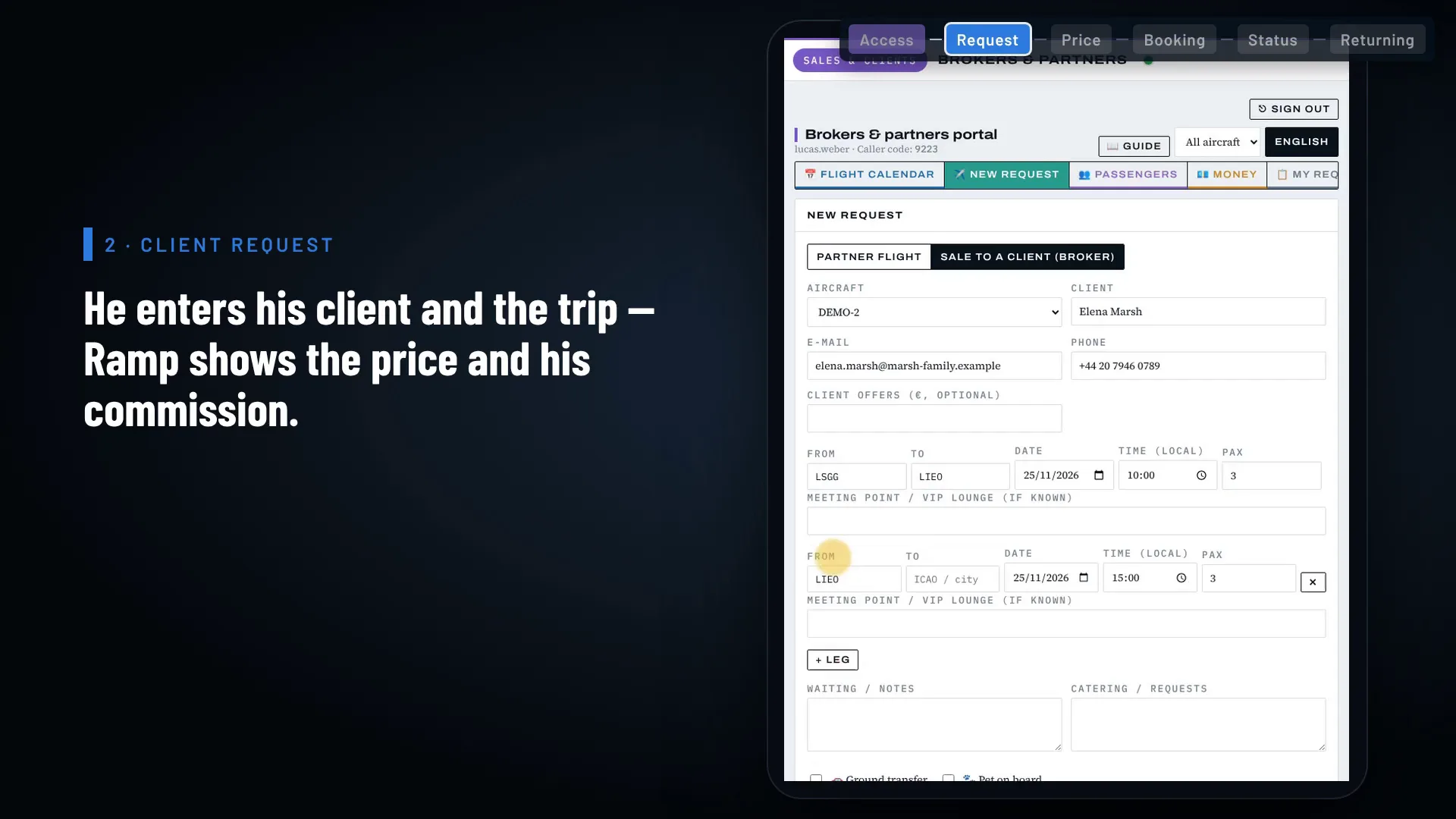
One trip, start to finish — in under three minutes.
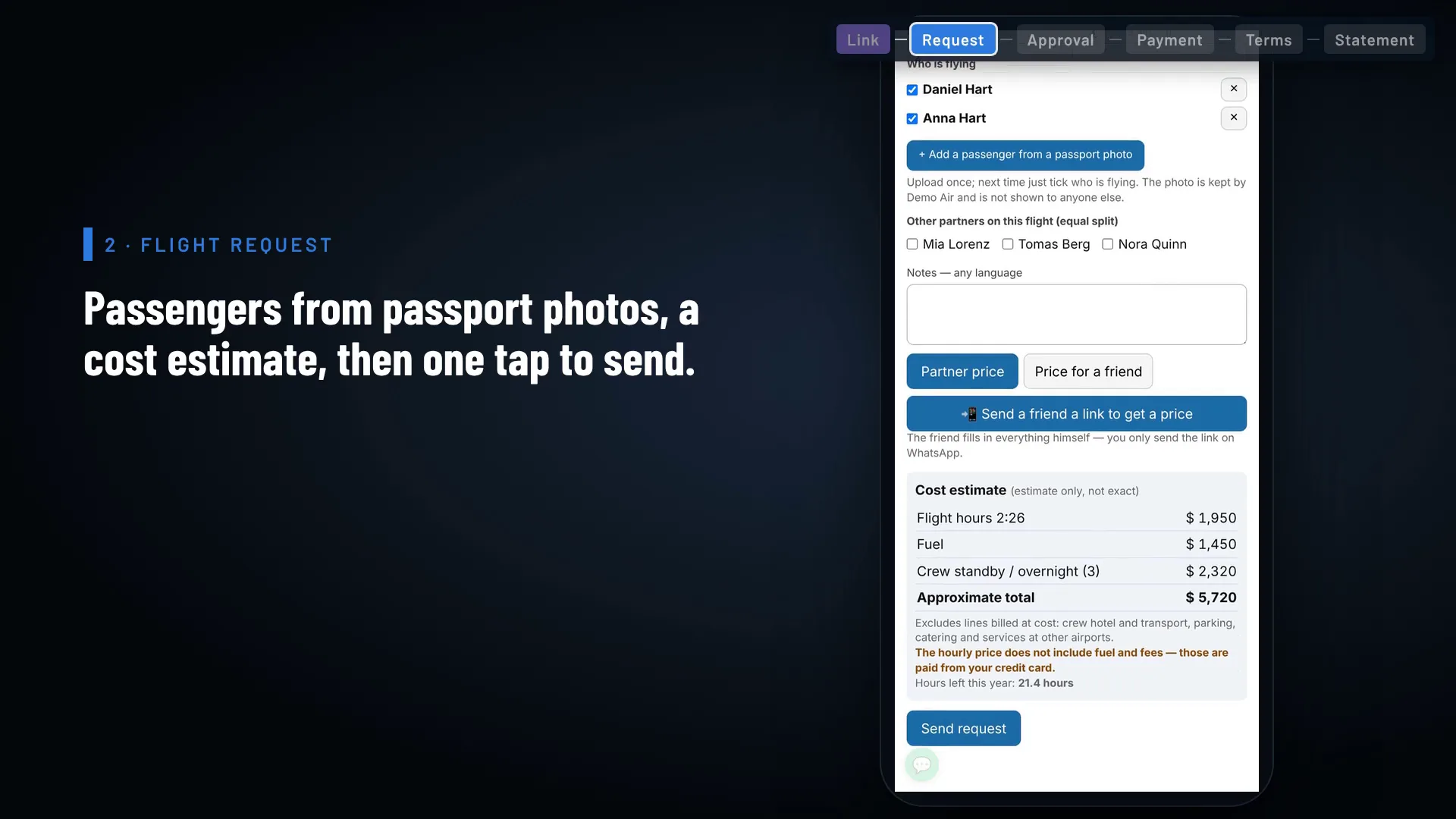
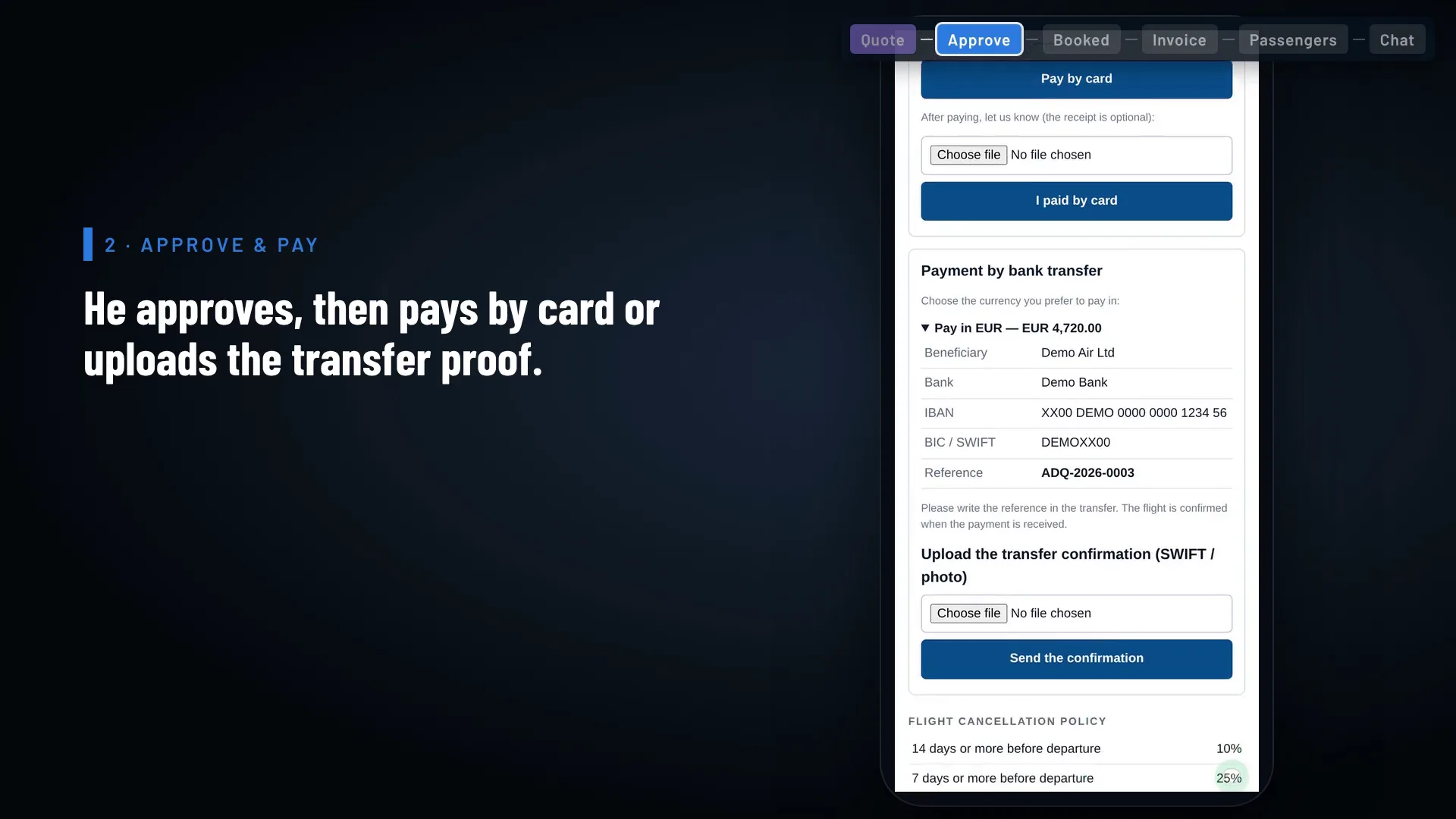
Priced per aircraft. Every user included.
Set-up €1,500 once — import of your aircraft data and the onboarding call.
- Maintenance and CAMO in every plan
- The assistant, within fair use
- Two months free when you pay yearly
- 30-day free trial, no card needed
- Support by e-mail and in-app chat, Monday to Friday 09:00–18:00 CET
- Reply within one business day, within 4 hours when the system is down
Prices exclude VAT.
Your data stays in Europe, and stays yours.
- Hosted in Europe
- The database and files are kept in Western Europe, with an encrypted copy made every night in a separate EU data centre.
- Each company on its own
- Every customer's records are kept apart, on the server and on each device.
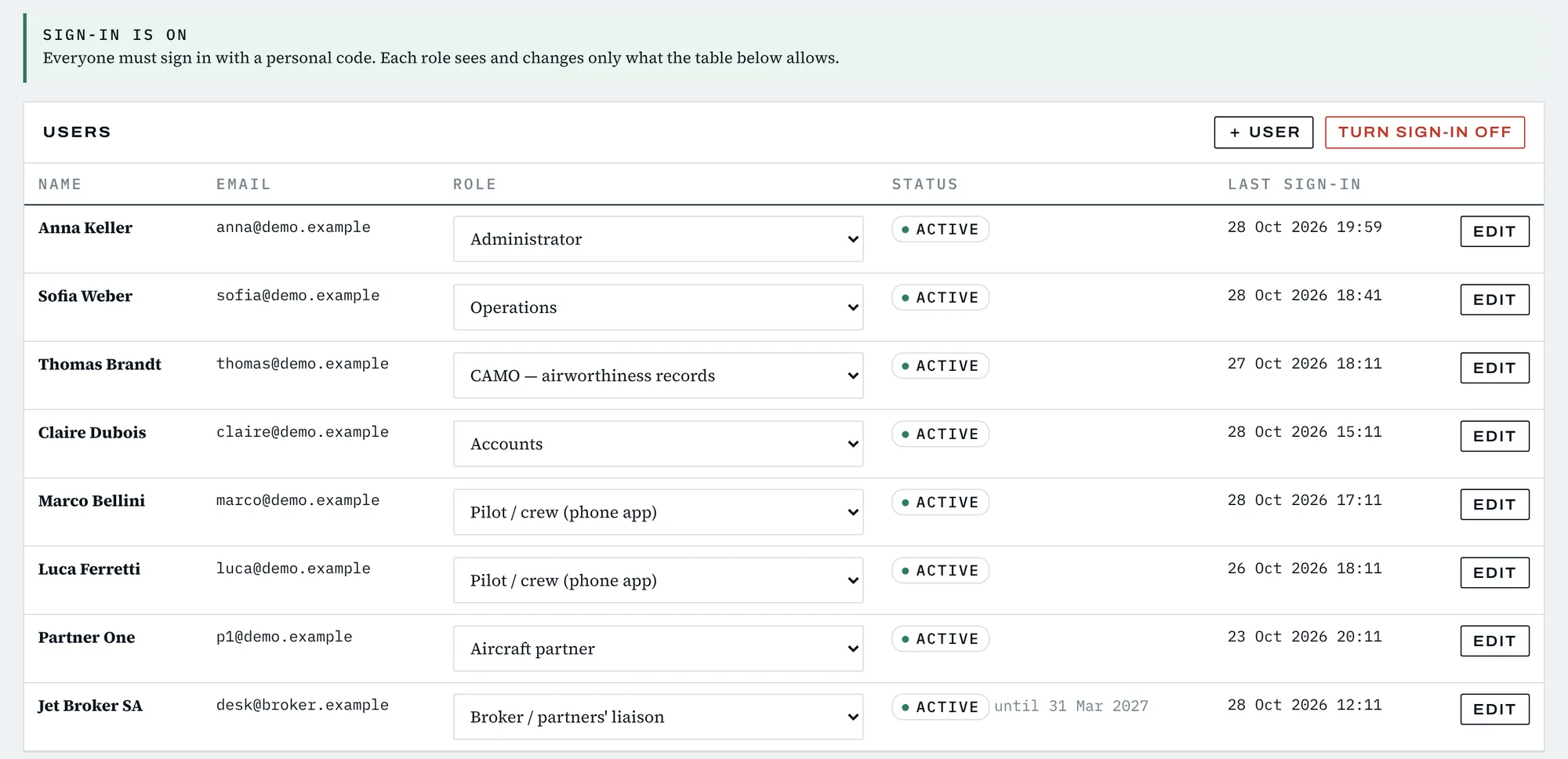
- Roles and two-step sign-in
- Decide who may see and change what. Administrators can require a code from an authenticator app.
- Take it with you
- Download a full backup of your company at any time, in an open format.
Questions operators ask.
Is maintenance (CAMO) an extra?
No. Maintenance and CAMO are included in every plan, at the same price per aircraft.
Can you import my current maintenance records?
Yes. Ramp reads the CAMP due-list and history exports directly. From other trackers we import hours, landings, the due list and components from your spreadsheets as part of set-up.
Do my people have to learn a new system?
Very little. The due list, the schedule and the occurrence log are laid out the way maintenance, operations and safety people already work. You can run Ramp next to your current tools for the 30-day trial before you switch.
Does it replace my accounting software?
No. Ramp issues invoices, tracks payments and prepares owner statements. Your accountant keeps the official books in your accounting program.
Does Ramp send slot, PPR or permit requests on its own?
Not unless you ask it to. By default Ramp prepares each message, reads the replies and tells you what needs a decision, and a person on your team approves every message before it leaves your mailbox. For airport slots on any flight, the dispatcher can switch on Auto mode with a time window and a maximum number of rounds. Inside that window Ramp sends the requests, reads the replies and asks again, settles take-off and landing slots that match each other, updates the flight and reports back. It stops and hands the flight to a person on anything unusual — a reply in free text, a missing PPR, a crew-duty or turnaround conflict — and releases any slot it obtained that is no longer used. Auto mode covers airport slots only; PPR and permit messages are still approved by a person. Coordinator and airport details come from an airport table you check and control.
Does the pilot app work on an iPad?
Yes. Pilots add it to the home screen of an iPad or a phone. No app store download is needed.
Who sees my clients and brokers?
Only your company. Each broker sees only the clients and trips they brought, and each client sees only their own link.
What happens to my data if I stop?
You can download a full backup of your company at any time, in an open format, before and after you stop.
How is it paid?
Monthly, or yearly with two months free. Prices are per aircraft and exclude VAT.
What happens after the 30-day trial?
Choose a plan to keep going with everything you entered. No card is asked for during the trial.